Best AI Video Search Tools in 2026 — Find Any Moment Across YouTube, TikTok & the Open Web
Compare the 8 best AI video search tools in 2026. Find specific moments, scenes, and topics across YouTube, TikTok, Instagram, and more — using natural language instead of keywords.


You're looking for that one clip — the 12-second moment where an analyst explains why a market shifted, or the TikTok where someone demos a technique you saw last week but can't find again. You try YouTube search. You try Google. You scroll through dozens of irrelevant results because search engines still index titles, tags, and descriptions — not what's actually happening inside the video.
This is the core problem with video search in 2026: the vast majority of video content is invisible to traditional search. There are over 800 million videos on YouTube alone, 34 million new TikToks uploaded every day, and billions of clips scattered across Instagram Reels, X, LinkedIn, and the open web. Keyword-based search only scratches the surface. If the creator didn't title or tag the video with the exact words you're searching for, you'll never find it.
AI video search tools change that equation entirely. Instead of searching metadata, they actually watch and understand video content — analyzing visual scenes, spoken words, on-screen text, and audio cues — then let you search with natural language queries like "show me examples of product unboxing videos with negative reactions" or "find clips where someone explains transformer architecture with diagrams."
In this guide, we tested and compared the best AI video search tools available in 2026. We evaluated each on accuracy, speed, platform coverage, and how well they understand actual video content versus just metadata. Our top pick, Memories.ai, stands out as the only tool that searches across YouTube, TikTok, Instagram, X, and the open web simultaneously — while actually understanding what's happening inside each video.
Whether you're a content researcher, marketer, journalist, competitive analyst, or just someone who's tired of scrolling, the right AI video search tool will fundamentally change how you find and use video content.
In this article
- What Makes a Great AI Video Search Tool?
- AI Video Search Tools Quick Comparison
- Top 8 AI Video Search Tools (2026 Review)
- How AI Video Search Actually Works
- AI Video Search vs. Manual Video Research
- Best Use Cases for AI Video Search
- Who Should Use AI Video Search Tools?
- FAQ: Common Questions About AI Video Search
- The Bottom Line
What Makes a Great AI Video Search Tool?
Traditional video search relies on metadata: titles, descriptions, tags, and closed captions. That means if a creator titles their video "My thoughts on the latest update" without mentioning the product name, keyword search will never surface it — even if the entire video is a detailed review.
AI video search goes deeper. These tools use computer vision, speech recognition, and natural language processing to understand what's actually happening inside a video — the visual content, spoken dialogue, on-screen text, background audio, and even sentiment.
But not all AI video search tools are created equal. Some only work on a single platform. Others analyze audio but ignore visual content. Many require you to upload videos manually rather than searching the open web.
Here's what we looked for:
- Content understanding — Does the tool analyze what's actually in the video (visual + audio), or just metadata?
- Multi-platform search — Can it search across YouTube, TikTok, Instagram, X, and the broader web in one query?
- Natural language queries — Can you search conversationally, or are you stuck with keywords?
- Speed and accuracy — How fast are results, and how relevant are they to what you actually asked?
- Scale — Can it handle searching across millions of videos, or only a small uploaded library?
- API access — Can developers integrate the search into their own workflows and products?
- Privacy and security — How is your data handled? Is the platform SOC 2 compliant?
We tested each tool with real-world queries across different platforms and content types: finding specific product mentions in long-form YouTube reviews, locating trending techniques on TikTok, identifying competitor mentions across social media, and searching for visual content that keyword search simply cannot find.
AI Video Search Tools Quick Comparison
| Tool | Content Analysis | Platforms Searched | Natural Language | API | Starting Price |
|---|---|---|---|---|---|
| Memories.ai | Visual + Audio + Text | YouTube, TikTok, Instagram, X, open web | Yes | Yes | Free, from $15/mo |
| Google Video Search | Metadata + captions | YouTube, some web | Limited | No | Free |
| YouTube Search | Metadata + auto-captions | YouTube only | Limited | Yes (Data API) | Free |
| Twelve Labs | Visual + Audio + Text | Uploaded videos only | Yes | Yes | Free tier, from $48/mo |
| Veo Search (Google) | Visual generation + search | Google ecosystem | Yes | Limited | Vertex AI pricing |
| Pexels AI | Visual + tags | Pexels library only | Basic | Yes | Free |
| Shutterstock AI | Visual + metadata | Shutterstock library | Basic | Yes | From $29/mo |
| Komo AI | Metadata aggregation | Web aggregation | Yes | No | Free |
Top 8 AI Video Search Tools (2026 Review)
We tested each of these tools with the same set of real-world queries: finding a specific product review segment in a 45-minute YouTube video, locating TikTok creators demonstrating a particular technique, identifying competitor brand mentions across platforms, and searching for visual content (charts, demos, reactions) that text-based search can't find.
Here's how they ranked.
1. Memories.ai Video Search AI — Best Overall AI Video Search
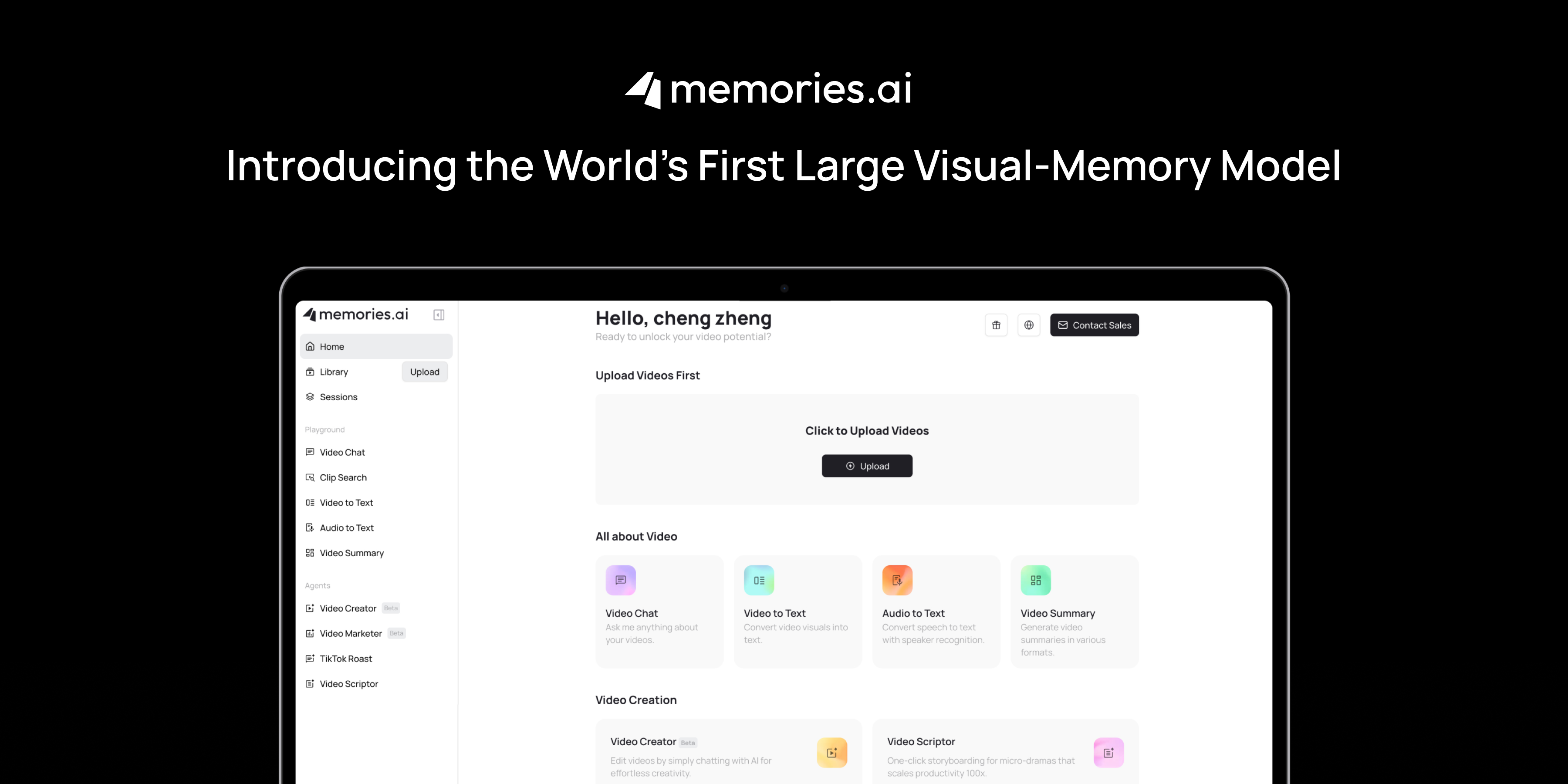
Memories.ai is the only AI video search tool we tested that combines true content understanding with multi-platform search in a single agent. Instead of searching titles and tags, the Memories.ai Video Search AI Agent actually watches videos — analyzing visual scenes, spoken dialogue, on-screen text, and audio — then returns results based on what's genuinely inside the content.
What makes it unique is the scope. A single natural language query searches across YouTube, TikTok, Instagram, X (Twitter), and the open web simultaneously. You don't need to hop between platforms, use different search syntaxes, or manually scrub through videos. Ask something like "find recent videos where marketing experts discuss the decline of organic reach on Instagram" and the agent goes to work across every major platform at once.
How It Works:
The Memories.ai Video Search AI Agent uses 17 specialized tools in one intelligent loop. When you submit a query, the agent:
- Interprets your natural language request and identifies what to look for
- Searches across multiple platforms simultaneously (YouTube, TikTok, Instagram, X, open web)
- Analyzes video content using visual recognition, speech-to-text, and audio analysis
- Ranks results by relevance to your actual query — not just keyword matches
- Returns specific moments, timestamps, and context from relevant videos
This means you can search for things that are impossible with traditional search: "videos showing a React dashboard with a dark theme and real-time charts," "TikToks where people react negatively to a product's new packaging," or "YouTube interviews where someone discusses leaving a FAANG company."
The intelligent loop is the critical differentiator. Unlike simple search tools that run one query and return results, the Memories.ai agent iterates: it refines its search strategy based on initial results, explores adjacent content, cross-references findings across platforms, and synthesizes everything into a coherent set of results. This means your first query doesn't need to be perfect — the agent adapts and explores until it finds what you're actually looking for.
Real-World Example:
We tested Memories.ai with the query: "Find recent videos where SaaS founders discuss their biggest mistake in the first year." A traditional search would surface videos with "biggest mistake" and "SaaS" in the title — missing the majority of relevant content. The Memories.ai agent searched across YouTube long-form interviews, TikTok founder content, X video posts, and podcast clips. It returned 23 relevant results across four platforms, including several videos where founders discussed mistakes without ever using that exact word in the title or description. Each result included the relevant timestamp and a brief summary of the specific mistake discussed.
That's the difference between searching metadata and actually understanding content.
Key Features:
- Multi-platform search — YouTube, TikTok, Instagram, X, and the open web in one query
- True content understanding — analyzes visual content, spoken words, on-screen text, and audio (not just metadata)
- 17 specialized AI tools working together in an intelligent agent loop
- Natural language queries — search conversationally, no special syntax required
- Timestamp-level precision — find exact moments within long videos
- Trend detection — identify emerging topics and patterns across platforms
- Competitive intelligence — monitor brand mentions and competitor activity across video content
- Developer API — integrate AI video search into your own products and workflows
- SOC 2 compliant — enterprise-grade security and data privacy
- Works with related tools — seamlessly connects with YouTube Video Analyzer and TikTok Video Analysis for deeper dives
Data Privacy & Security:
Memories.ai is SOC 2 compliant with enterprise-grade security. Your search queries and results are encrypted in transit and at rest. Your data is never used for training external AI models. You control what gets saved and what gets discarded.
Pros:
- Only tool that searches across all major video platforms simultaneously
- Actually understands video content (visual + audio), not just titles and tags
- Natural language queries work remarkably well for complex, specific searches
- 17 specialized tools in one agent means comprehensive, thorough results
- API available for developers building video-powered applications
- SOC 2 compliant — safe for enterprise and regulated industries
- Integrates with the broader Memories.ai ecosystem for deeper analysis
Pricing:
- Free Plan: $0/month — includes 100 credits per month for video search and analysis
- Plus Plan: from $15/month (billed annually) — 5,000 credits, full access to all agent tools
- Enterprise: custom pricing for high-volume API usage and dedicated support
👉 Try Memories.ai Video Search AI — Free
2. Google Video Search — Best for Quick Web-Wide Video Discovery
Google Video Search remains the default video search experience for most people. The "Videos" tab in Google Search surfaces results from YouTube and across the web, with AI-generated summaries becoming more common in 2026.
Google's strength is its index size — it crawls more of the web than any other search engine. Its AI Overviews now sometimes include video clips and timestamps in search results. But the fundamental limitation remains: Google searches metadata, not video content. It relies on titles, descriptions, captions, and page context rather than analyzing what's actually happening inside the video.
For broad, exploratory searches — "best exercises for lower back pain" or "how to install a ceiling fan" — Google Video Search works fine. For specific, nuanced queries about what's inside a video, it falls short.
In our testing, Google Video Search performed well for general-knowledge queries and popular topics where creators optimize their titles and descriptions for SEO. Where it struggled was with niche queries, visual content queries (like "videos showing a specific chart layout"), and cross-platform discovery. Google overwhelmingly favors YouTube results, and videos from TikTok, Instagram, and X are poorly represented in Google's video search results.
The Gemini integration is promising for the future — AI-generated video summaries in search results hint at deeper content understanding to come. But in its current form, Google Video Search remains a metadata-first tool with an AI presentation layer on top.
Key Features:
- Massive web index covering YouTube and most video-hosting platforms
- AI Overviews with occasional video clips and timestamps
- Integration with Google ecosystem (Lens, Gemini)
- Filtered search by duration, date, source, and quality
Pros:
- Largest video index on the web
- Free and universally accessible
- Improving AI features through Gemini integration
- Good for broad, exploratory video discovery
Pricing:
- Free
👉 Memories.ai vs Google — Full Comparison
3. YouTube Search — Best for YouTube-Only Discovery
YouTube's built-in search has improved significantly with AI enhancements in 2026. Auto-generated chapters, improved transcript search, and better recommendation algorithms make it easier to find content within YouTube's massive library.
YouTube's advantage is obvious: it's searching within the world's largest video library. Transcript-based search is available for most videos, and the recommendation engine is strong at surfacing related content. But you're limited to YouTube only, the search still leans heavily on titles and metadata, and finding specific moments within long videos requires manual scrubbing.
For researchers and content creators who work primarily with YouTube content, the built-in search is a solid starting point — but it's not enough on its own for serious video research.
One useful but often overlooked feature: you can search within a video's transcript by clicking the three-dot menu and selecting "Show transcript," then using Ctrl+F/Cmd+F to search within the text. This is helpful when you've already found a relevant long-form video and need to locate a specific segment. But it's manual, one-video-at-a-time work — a far cry from the automated, cross-platform search that AI tools provide.
Key Features:
- Transcript search within individual videos
- AI-generated chapters and key moments
- Powerful recommendation engine
- Filter by upload date, type, duration, and features
- YouTube Data API for developers
Pros:
- Direct access to the world's largest video library
- Improving AI features for content discovery
- Good recommendation engine for related content
- Free to use
Pricing:
- Free (YouTube Premium from $13.99/month removes ads)
👉 Memories.ai YouTube Video Analyzer
4. Twelve Labs — Best Developer API for Video Understanding
Twelve Labs offers a powerful developer-focused API for video understanding and search. Their multimodal AI models analyze visual content, spoken words, text on screen, and audio simultaneously — providing genuinely deep content understanding.
The platform is purpose-built for developers who want to integrate video search into their own applications. You upload videos to Twelve Labs, their models index the content, and then you can search across your indexed library with natural language queries. The results are impressively accurate for specific visual and audio queries.
The key limitation: Twelve Labs only searches videos you've uploaded to their platform. It doesn't search the open web, YouTube, TikTok, or any external platform. It's a video understanding engine, not a video discovery engine. For developers building video-powered applications on their own content libraries, it's excellent. For researchers or marketers who need to find content across the web, it's not the right tool.
Key Features:
- Multimodal video understanding (visual + audio + text)
- Natural language search across indexed video libraries
- Generate API for creating summaries, chapters, and highlights
- Embed API for semantic video embeddings
- Supports custom model fine-tuning
Pros:
- Excellent multimodal understanding of video content
- Strong developer API with comprehensive documentation
- Good accuracy for visual and audio-based queries
- Flexible integration options for custom applications
Pricing:
- Free tier: 600 mins of indexing, limited API calls
- Growth: from $48/month with increased limits
- Enterprise: custom pricing
👉 Memories.ai vs Twelve Labs — Full Comparison
5. Veo Search (Google DeepMind) — Best for AI-Generated Video Understanding
Veo is Google DeepMind's video generation and understanding model. While primarily known for generating high-quality AI video, Veo's underlying technology also powers video search and understanding capabilities within Google's ecosystem — particularly through Vertex AI and Google Cloud's media solutions.
Veo excels at understanding visual semantics: it can identify objects, actions, scenes, and spatial relationships within video frames. When integrated into Google Cloud workflows, it enables semantic video search across enterprise video libraries.
However, Veo is not a standalone video search product. It's a foundational model that requires integration through Google Cloud services. For most users and teams, this means significant technical setup and Google Cloud commitment. It's best suited for enterprises already invested in the Google Cloud ecosystem who need to build custom video search solutions.
Key Features:
- State-of-the-art visual understanding capabilities
- Integration with Google Cloud and Vertex AI
- Object, action, and scene recognition
- Supports both video generation and analysis
- Available through Google's API ecosystem
Pros:
- Cutting-edge video understanding from Google DeepMind
- Strong visual semantic analysis
- Backed by Google's infrastructure and scale
- Continuous improvements through DeepMind research
Pricing:
- Available through Vertex AI pricing (pay-per-use)
- Enterprise agreements through Google Cloud
6. Pexels AI Search — Best Free Stock Video Search
Pexels has integrated AI into its stock video search, making it easier to find specific clips within its free library. The AI understands visual content within Pexels' curated collection — you can search for concepts, moods, and visual styles rather than just keywords.
Pexels is excellent for what it is: a free stock video library with smart search. But it's limited to Pexels' own curated content. You can't search YouTube, TikTok, or the open web. The library, while substantial, is focused on stock footage rather than user-generated or professional content.
For content creators who need royalty-free B-roll and stock footage, Pexels AI Search is a great free option. For research, competitive intelligence, or finding specific creator content, it's not the right tool.
Key Features:
- AI-powered search across Pexels' free stock video library
- Visual concept and mood-based search
- All content is royalty-free and free to use
- API available for developers
- High-quality, curated video collection
Pros:
- Completely free, including commercial use
- Good AI understanding of visual content and mood
- Clean, easy-to-use interface
- No account required for downloads
Pricing:
- Free (all content is free for personal and commercial use)
7. Shutterstock AI Search — Best Premium Stock Video Search
Shutterstock has invested heavily in AI-powered search for its massive stock media library. Their AI understands composition, color palette, visual style, and conceptual themes — letting you search with detailed visual descriptions rather than basic keywords.
The library is significantly larger than Pexels, with millions of premium video clips. Shutterstock's AI can also suggest similar clips, identify visual styles, and help you find footage that matches a specific aesthetic or mood.
Like Pexels, Shutterstock is limited to its own library. It's a stock footage search tool, not a general-purpose video search engine. The premium pricing reflects the higher quality and larger selection, but you're still searching within a curated collection rather than the open web.
Key Features:
- AI search across millions of premium stock video clips
- Visual similarity search and style matching
- Composition and color palette understanding
- Creative AI tools for generating custom stock content
- Enterprise licensing and API access
Pros:
- Massive library of premium video content
- Advanced AI search with visual understanding
- Good for professional production workflows
- Enterprise licensing options
Pricing:
- Individual plans from $29/month (5 assets)
- Enterprise: custom pricing
- Pay-as-you-go options available
8. Komo AI — Best AI-Powered Video Search Aggregator
Komo AI takes a different approach: it's an AI search engine that aggregates results from across the web, including video content. Think of it as an AI-powered meta-search engine that can surface video results alongside text, images, and other content.
Komo uses AI to understand your query intent and present results in organized clusters. For video queries, it pulls results from YouTube, Vimeo, and other sources, presenting them with AI-generated context and summaries.
The limitation is that Komo doesn't analyze video content itself. It's aggregating and organizing metadata-based search results from other platforms. The AI improves the presentation and organization of results, but the underlying search is still based on titles, descriptions, and tags rather than actual video content.
Key Features:
- AI search engine with video result aggregation
- Query intent understanding and result clustering
- Conversational search interface
- Aggregates results from multiple web sources
- AI-generated context for search results
Pros:
- Clean, AI-enhanced search experience
- Good for broad video discovery queries
- Free to use
- Presents results with useful context
Pricing:
- Free
How AI Video Search Actually Works
Understanding how these tools work helps explain why some are dramatically better than others. There are three levels of AI video search technology:
Level 1: Metadata Search (Most Traditional Search Engines)
This is what Google, YouTube, and most search engines do. They index titles, descriptions, tags, closed captions, and surrounding page content. The AI improves query understanding and result ranking, but the underlying data being searched is still text metadata about the video — not the video itself.
Limitation: If the metadata doesn't contain your search terms, the video is invisible to search. A video titled "My Latest Update" about a specific product won't surface for product name searches.
Level 2: Transcript/Audio Analysis (Some AI Tools)
These tools go a step further by analyzing the spoken content within videos. They use speech-to-text to generate transcripts, then index those transcripts for search. This catches content that's spoken but not written in the title or description.
Limitation: Purely audio-based analysis misses visual content entirely. A cooking demonstration where someone silently shows a technique, a chart displayed on screen, or a visual product comparison won't be captured by audio analysis alone.
Level 3: Multimodal Understanding (Memories.ai, Twelve Labs)
The most advanced level combines visual analysis, audio analysis, and text recognition into a unified understanding of what's happening in the video. These tools use computer vision to identify objects, actions, scenes, and visual context; speech recognition for dialogue; and OCR for on-screen text. The result is a comprehensive understanding of video content that enables truly intelligent search.
Memories.ai operates at this third level while also adding multi-platform discovery — searching across YouTube, TikTok, Instagram, X, and the open web simultaneously. This combination of deep content understanding with broad platform coverage is what sets it apart from tools like Twelve Labs (which only searches uploaded content) or Google (which only searches metadata).
Why the Agent Architecture Matters
Most AI video search tools run a single operation: take a query, match it against an index, return results. Memories.ai takes a fundamentally different approach with its agent architecture.
The Video Search AI Agent orchestrates 17 specialized tools in an intelligent loop. Think of it less like a search engine and more like a research assistant who happens to have access to every video platform simultaneously. The agent can:
- Reformulate queries — If initial results aren't specific enough, the agent automatically tries different search strategies, synonyms, and related concepts
- Cross-reference across platforms — A topic mentioned on YouTube might be trending differently on TikTok. The agent connects these dots
- Filter by actual content — Not just date and platform, but by what's visually or audibly happening in the video
- Synthesize findings — Rather than dumping a list of links, the agent provides context about why each result is relevant to your specific query
This agent-based approach is why Memories.ai consistently returns better results for complex, nuanced queries. Simple keyword searches are easy — any search engine can handle "how to change a tire." But queries like "find examples of SaaS companies using humor in their product demo videos" require the kind of iterative, intelligent search that only an agent architecture can deliver.
AI Video Search vs. Manual Video Research
To understand the practical impact of AI video search, consider the typical workflow for someone doing video research today without these tools — and how it changes with them.
The Manual Approach
Let's say you're a content strategist researching what competitors are saying about a new product category across video platforms. Without AI video search, your workflow looks something like this:
- Open YouTube and search several keyword variations. Scroll through results, clicking on videos that look promising based on titles and thumbnails. Watch enough of each video to determine if it's relevant. Repeat for 20-30 videos. Time: 2-3 hours.
- Open TikTok and search the same keywords. Scroll through dozens of short-form clips. Many are mislabeled or tangentially related. Time: 1-2 hours.
- Check Instagram Reels and X for additional video content. These platforms have weaker search capabilities, so you rely on hashtags and manual browsing. Time: 1-2 hours.
- Compile your findings into a document, noting which videos were relevant, what was said, and where to find the key moments. Time: 30-60 minutes.
Total time: 5-8 hours for a single research pass across platforms. And you've still likely missed relevant content that wasn't surfaced by keyword search.
The AI Video Search Approach
With Memories.ai Video Search AI:
- Write one natural language query describing what you're looking for. The agent searches across YouTube, TikTok, Instagram, X, and the open web simultaneously. Time: 30 seconds to write the query.
- Review the results — each with platform, timestamp, and context summary. Filter or refine if needed. Time: 15-30 minutes.
- Dive deeper into the most relevant results using the YouTube Video Analyzer or TikTok Video Analysis tools for full breakdowns. Time: 15-30 minutes.
Total time: 30-60 minutes for more comprehensive results across more platforms, with less risk of missing relevant content.
That's not a marginal improvement — it's an order of magnitude difference. And it compounds: if you're doing this kind of research weekly, AI video search saves hundreds of hours per year.
👉 Try AI Video Search — save hours on every research project
Best Use Cases for AI Video Search
AI video search isn't just a convenience — for certain workflows, it's transformative. Here's where these tools deliver the most value:
Content Research & Curation
Researchers, journalists, and content creators spend hours finding the right clips. An AI video search agent can find specific moments across platforms in seconds. Instead of watching 50 videos to find the three that mention your topic, you search once and get timestamped results.
This is especially powerful for journalists covering breaking stories who need to find firsthand video accounts across multiple platforms, or for content creators building roundup-style content who need to reference dozens of sources efficiently.
Example query: "Find YouTube videos published this month where data scientists discuss the limitations of RAG for production applications"
Competitive Intelligence
Marketing and product teams need to know what competitors are saying — and what people are saying about competitors — across video platforms. AI video search monitors brand mentions, product reviews, and competitor activity across YouTube, TikTok, and social media simultaneously.
The value here goes beyond simple brand monitoring. Because AI video search understands actual video content, it can surface competitor mentions that happen in passing within larger videos — the kind of mentions that would never be caught by title-based keyword monitoring. A reviewer casually mentioning your competitor's product in an unrelated video, a conference speaker referencing a competitor's approach, or a TikTok creator comparing products without naming them in the caption.
Example query: "Find TikTok and YouTube videos from the last 30 days where people compare [our product] to [competitor]"
👉 Try AI Video Search for competitive monitoring
Trend Detection & Social Listening
Understanding what's trending across video platforms is critical for marketers, product teams, and media companies. AI video search identifies emerging topics, viral formats, and shifting sentiment before they hit mainstream awareness.
The cross-platform aspect matters here. Trends often start on TikTok, get picked up on YouTube, then spread to Instagram and X. By searching across all platforms simultaneously, you catch trends earlier and understand how they evolve across different audiences and formats.
Example query: "What techniques are gaining traction in short-form fitness content on TikTok this week?"
Academic & Market Research
Researchers who study media, culture, public discourse, or markets need to analyze large volumes of video content. AI video search makes it possible to systematically find and analyze relevant content across platforms without manual review.
For market researchers, the ability to search for specific visual content is particularly valuable. You can find product demos, packaging designs, retail displays, and customer reactions that would be impossible to locate with text-based search. For academic researchers studying media narratives, AI video search enables content analysis at a scale that was previously impractical.
Example query: "Find panel discussions from tech conferences in 2026 where speakers discuss AI regulation in Europe"
Content Creation & Repurposing
Creators looking for inspiration, reference material, or content to react to need efficient ways to find specific types of video content. AI video search surfaces relevant content based on what's actually in the video, not just how it's tagged.
This is also valuable for agencies and brands that need to find user-generated content (UGC) featuring their products. Instead of relying on hashtags and mentions — which miss the majority of organic UGC — AI video search can find videos that visually feature a product, even when the creator doesn't tag or mention the brand.
Example query: "Show me travel vlogs with drone footage of coastal towns in Portugal"
Developer Integration
For teams building video-powered products — media platforms, content moderation tools, recommendation engines — API access to AI video search is essential. Memories.ai and Twelve Labs both offer developer APIs, with Memories.ai providing the broader search scope across public web content.
Common developer use cases include building internal content discovery tools, automating content moderation pipelines, creating intelligent video recommendation systems, and powering search features in media applications. The Memories.ai API supports all of these scenarios with straightforward integration and comprehensive documentation.
Who Should Use AI Video Search Tools?
AI video search delivers value for a wide range of professionals and teams. Here's a breakdown of who benefits most — and which tool fits each use case:
Marketing & Brand Teams
If your team monitors brand perception, tracks competitor activity, or researches content trends across video platforms, AI video search replaces hours of manual platform-hopping with a single query. Best tool: Memories.ai — multi-platform search with competitive intelligence capabilities.
Journalists & Media Researchers
Finding primary source video content across platforms is essential for modern journalism. AI video search lets you locate specific interviews, firsthand accounts, and visual evidence without relying on what other outlets have already surfaced. Best tool: Memories.ai — broad platform coverage with content-level understanding.
Content Creators & Agencies
Whether you're creating reaction content, building roundups, researching trends, or finding UGC for brand campaigns, AI video search makes content discovery dramatically faster. Best tool: Memories.ai for discovery across platforms, or YouTube Search if you only work within YouTube.
Product & Engineering Teams
For teams building video-powered applications — search features, recommendation engines, content moderation, or media analytics — developer APIs are essential. Best tool: Twelve Labs for custom video libraries, or Memories.ai for open-web video search integration.
Academic Researchers
Studying video content at scale — media narratives, public discourse, cultural trends — requires tools that can systematically search and analyze large volumes of content. Best tool: Memories.ai for cross-platform discovery, paired with YouTube Video Analyzer for in-depth analysis.
Video Producers & Editors
Finding stock footage, reference material, and B-roll is a daily task for video professionals. Best tool: Pexels (free) or Shutterstock (premium) for stock footage, or Memories.ai for finding real-world reference content across platforms.
FAQ: Common Questions About AI Video Search
What is AI video search?
AI video search uses artificial intelligence to find specific content within and across videos. Unlike traditional search that relies on titles and tags, AI video search analyzes what's actually happening inside a video — the visual scenes, spoken words, on-screen text, and audio — to return results that match your natural language query. Tools like Memories.ai Video Search AI take this further by searching across YouTube, TikTok, Instagram, X, and the open web simultaneously.
How is AI video search different from YouTube search?
YouTube search primarily indexes titles, descriptions, tags, and auto-generated captions. It's limited to YouTube's platform and works best with keyword-based queries. AI video search tools like Memories.ai analyze the actual content of videos (visual + audio), work across multiple platforms, and support natural language queries. You can search for things like "videos showing someone assembling IKEA furniture with frustration" — something YouTube search simply can't handle.
Can AI video search find specific moments within long videos?
Yes. Advanced AI video search tools provide timestamp-level precision. Instead of just finding a relevant video, they can point you to the exact moment within a 2-hour video where the topic you're searching for is discussed or shown. This saves enormous amounts of time compared to manually scrubbing through long-form content.
Which platforms does Memories.ai Video Search cover?
Memories.ai Video Search AI Agent searches across YouTube, TikTok, Instagram, X (Twitter), and the open web in a single query. This multi-platform approach means you don't need to run separate searches on each platform — the agent handles discovery across all of them simultaneously using 17 specialized tools.
Is AI video search accurate?
Accuracy varies significantly by tool. Metadata-based tools (like Google Video Search) are only as accurate as the metadata available. Multimodal tools that analyze actual video content (like Memories.ai and Twelve Labs) are substantially more accurate for specific queries. In our testing, Memories.ai consistently returned the most relevant results for complex, nuanced queries because it analyzes visual content, audio, and text together.
Can I use AI video search for commercial purposes?
Yes. Tools like Memories.ai are designed for professional use cases including content research, competitive intelligence, and market analysis. The platform is SOC 2 compliant, making it suitable for enterprise and regulated industries. For stock footage, Pexels (free) and Shutterstock (paid) offer commercially licensed content.
Is there an API for AI video search?
Memories.ai offers a developer API for integrating AI video search into your own products and workflows. Twelve Labs also provides a comprehensive developer API, though it's limited to searching uploaded content rather than the open web. YouTube offers a Data API for basic search functionality.
How much does AI video search cost?
Costs range from free to enterprise pricing. Memories.ai offers a free tier with 100 credits per month, with paid plans from $15/month. Twelve Labs has a free tier for limited usage with paid plans from $48/month. Google and YouTube search are free. Stock video platforms range from free (Pexels) to $29+/month (Shutterstock).
Can AI video search analyze TikTok content?
Yes — but only certain tools support TikTok. Memories.ai is the only tool we tested that includes TikTok in its multi-platform search. Most other tools either focus on YouTube or require you to manually upload TikTok videos for analysis. For dedicated TikTok analysis, Memories.ai also offers a TikTok Video Analysis tool.
What about privacy and data security?
When using AI video search tools, your queries and results should be treated as potentially sensitive data — especially for competitive intelligence use cases. Memories.ai is SOC 2 compliant, encrypts data in transit and at rest, and never uses your data for training external AI models. Always review a tool's privacy policy before using it for sensitive research.
What languages does AI video search support?
Language support varies by tool. Memories.ai supports video content in dozens of languages, analyzing both spoken dialogue and on-screen text regardless of language. Google and YouTube Search support most major languages for metadata search. Twelve Labs supports English and several other languages, with coverage expanding. For multilingual video research, Memories.ai provides the broadest coverage because it analyzes the actual audio and visual content rather than relying on metadata that may only be in one language.
Can AI video search help with SEO and content strategy?
Absolutely. AI video search is increasingly valuable for content strategists who want to understand what topics are being covered (and how) across video platforms. You can use it to identify content gaps — topics that people are searching for but few creators have covered well — and to analyze how competitors structure their video content. Pair the Video Search AI with the YouTube Video Analyzer for detailed breakdowns of top-performing competitor videos.
How does AI video search handle live streams and ephemeral content?
Most AI video search tools, including Memories.ai, focus on published video content that is publicly available at the time of the search. Live streams that have been saved as VODs are searchable. Ephemeral content (like Instagram Stories that have expired) is generally not available unless it was archived. For ongoing monitoring of live and newly published content, Memories.ai's agent can be configured to search for the most recent content across platforms.
What's the difference between AI video search and AI video analysis?
AI video search is about finding videos and specific moments within videos across platforms. AI video analysis is about deeply understanding a single video — generating summaries, extracting insights, identifying themes, and answering questions about the content. Memories.ai offers both: the Video Search AI for discovery, and tools like the YouTube Video Analyzer and TikTok Video Analysis for deep dives into individual videos. They work best together — search to find, analyze to understand.
Do I need technical skills to use AI video search?
No. Tools like Memories.ai are designed for non-technical users. You search using natural language — plain English (or any supported language) questions and descriptions. No coding, no query syntax, no API knowledge required. The developer API is available for teams that want to integrate video search into their own products, but the web interface is fully accessible to anyone.
The Bottom Line
The gap between what's inside video content and what traditional search can find is enormous — and it's only growing as video becomes the dominant content format across every platform. AI video search tools close that gap by actually understanding what's in the video, not just what's written about it.
Our recommendation:
- Best overall: Memories.ai Video Search AI — the only tool that combines true multimodal content understanding with multi-platform search across YouTube, TikTok, Instagram, X, and the open web. If you need one tool for AI video search, this is it.
- Best for developers: Twelve Labs — excellent multimodal API, but limited to uploaded content
- Best free general search: Google Video Search — massive index, but metadata-only
- Best free stock footage: Pexels AI Search — great for royalty-free B-roll
- Best premium stock footage: Shutterstock AI — larger library, better AI search
The right choice depends on your workflow. If you're searching for specific content across the open web and multiple platforms, Memories.ai is the clear winner. If you're building a custom video search application on your own content, Twelve Labs is a strong developer option. And if you just need stock footage, Pexels and Shutterstock have you covered.
But for most people reading this — content researchers, marketers, journalists, analysts, and creators — the ability to search across every major video platform with a single natural language query is a game-changer. Start with the free tier and see for yourself.
👉 Start searching video content with Memories.ai — free, no credit card required
Related Resources
- Analyze videos from 20+ platforms with Memories.ai AI Video Analyzer — scene detection, OCR, transcripts, and key moments
- Video Search AI tool — search across YouTube, TikTok, Instagram, and the open web
- Compare Memories.ai vs Twelve Labs for video search — platform coverage, API capabilities, and enterprise features
- Compare Memories.ai vs ChatGPT for video analysis — dedicated video AI vs general-purpose AI
- Memories.ai pricing and plans — start with free credits, upgrade as you scale
- AI meeting transcription for Zoom, Google Meet, and Teams -- transcribe and search across all your meetings